Access control that doesn't feel like administration
GanttPRO projects can involve dozens of stakeholders with different levels of authority. Before this feature, all team members on a project had the same default access — which meant either over-sharing sensitive data or manually workarounding permissions at the file level.
The goal: design an access control system that gave project managers per-user permission control without making it feel like configuring a server.
Two interconnected features, one mental model
After user requirement analysis and competitive benchmarking against Asana, Monday, and Notion, the design settled on two connected sections:
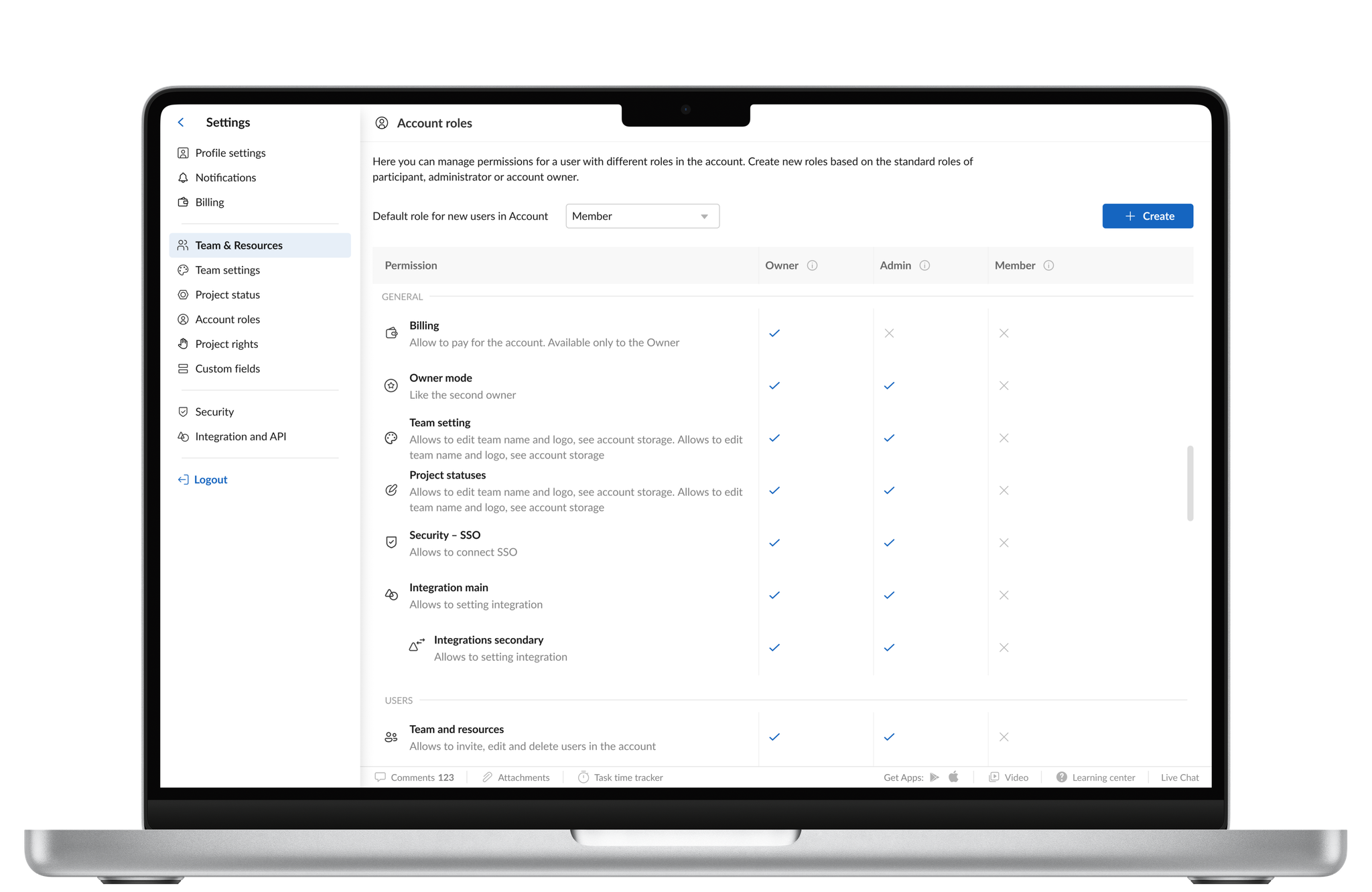
- Project Rights — a per-project view where managers assign each team member a permission level (View, Comment, Edit, Admin) with a clear visual summary of who can do what
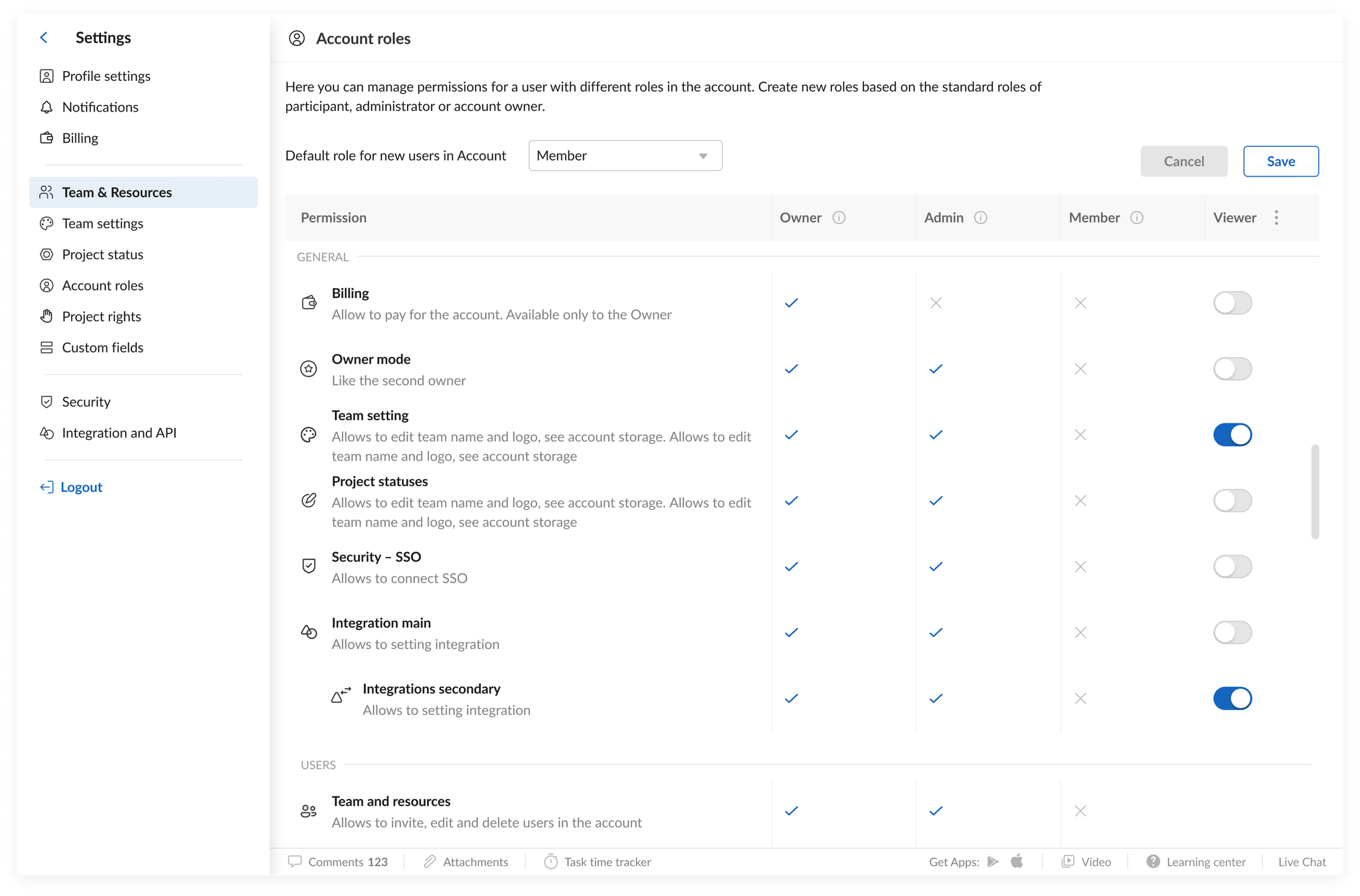
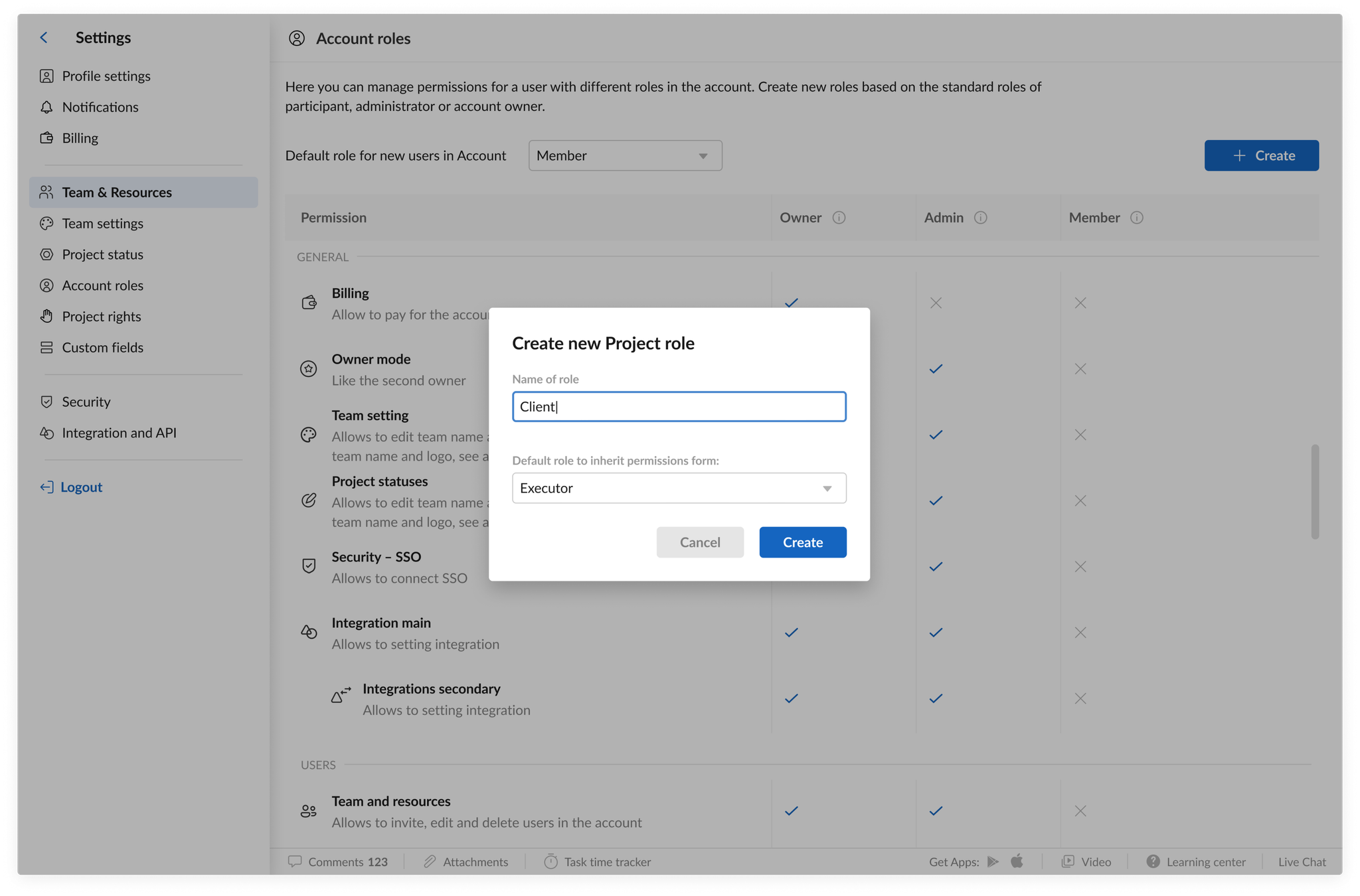
- Account Roles — a cross-project role manager that lets admins define role presets (e.g., Contractor, Department Lead) and apply them across multiple projects simultaneously
A key design constraint: changes to permissions had to be visually confirmed before saving, with a clear summary of what would change for which users. This prevented accidental over-sharing — a security requirement from the product team.
More control, less friction
Post-launch, project managers reported using the feature heavily during client-facing project phases — restricting external stakeholders to View access while keeping internal team members at Edit. The Account Roles feature became especially valuable for organizations with consistent team structures across many projects.